Your apps now talk to each other
Forms that book meetings, a form before every call, a Leads board that fills itself, a link-in-bio that shows your other apps, testimonials that ask for themselves. One click to connect, included in the price you already paid.
1
Click "Connect"
In MangoForm (Integrations), KiwiProof (Account), GrapeLink or GuavaTeam (Settings).
2
Click "Allow"
The other app shows exactly what it will share. Sign in there if you need to.
3
That's it
No keys, no code, no Zapier. Disconnect any time, from either app.
MangoForm +PeachCalendar
Qualify, then book
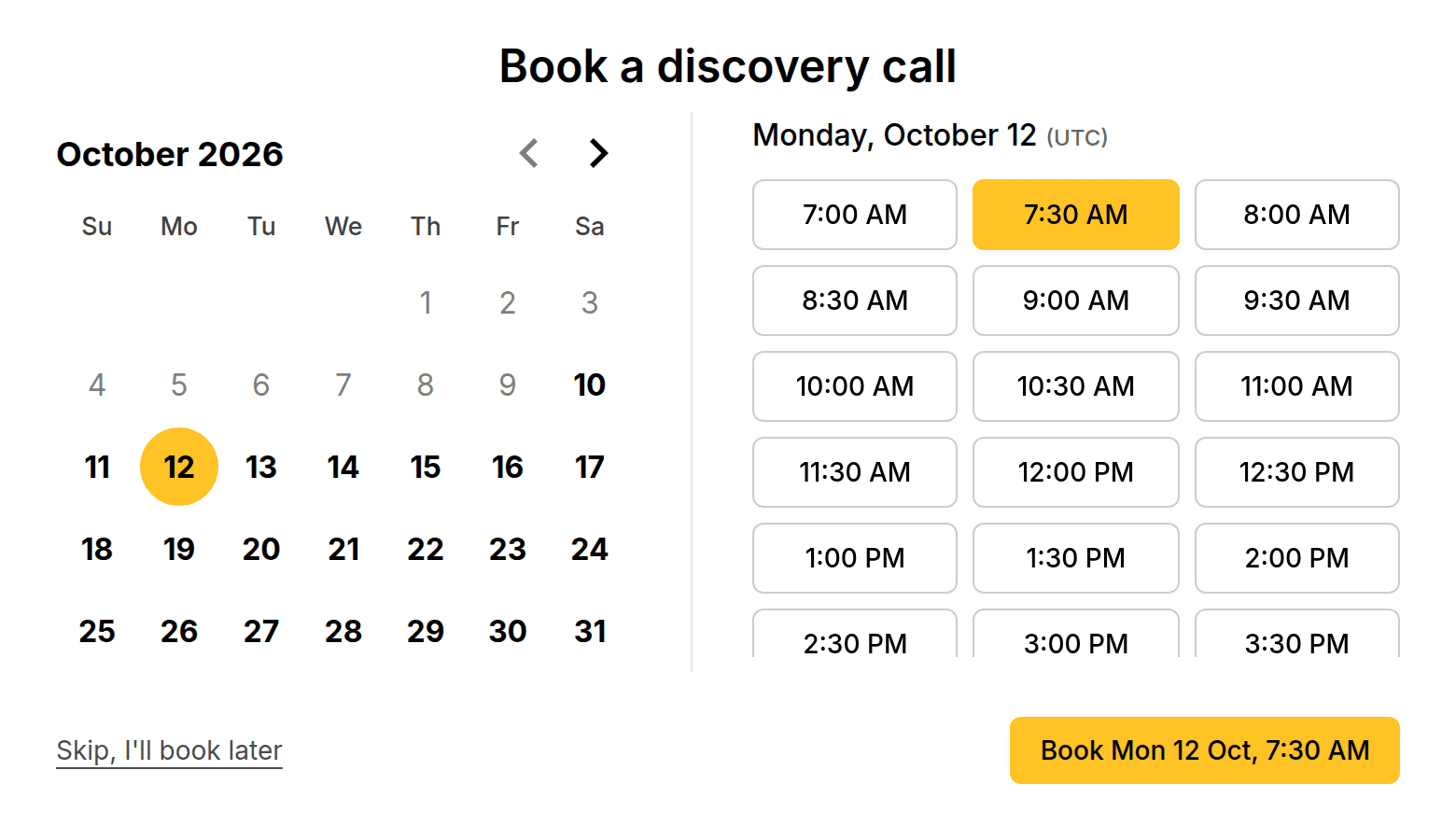
Add a "Book a meeting" step at the end of a MangoForm form. People answer your questions, then pick a free slot from your PeachCalendar.
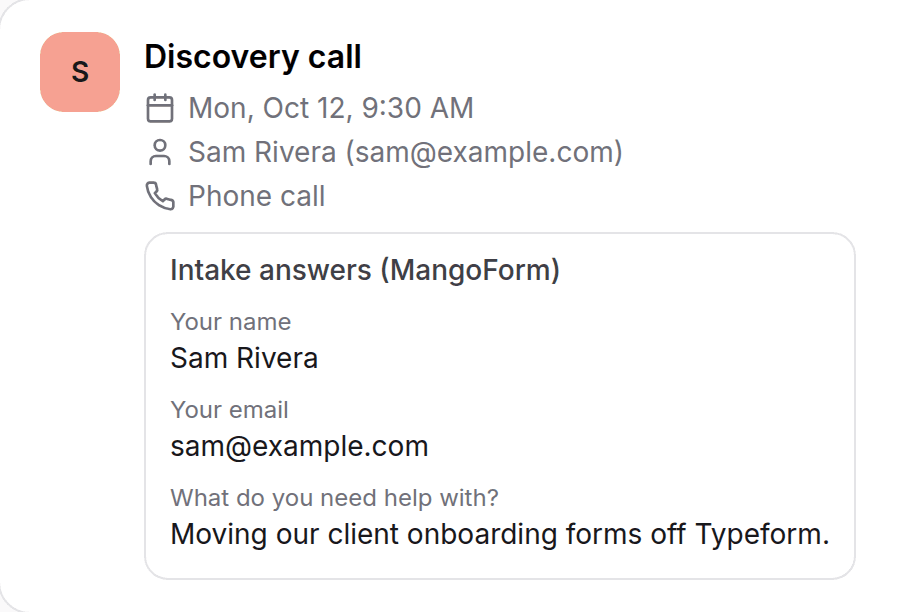
The meeting lands in PeachCalendar with the usual confirmation emails, and their answers are attached to it. You know who you are talking to before the call.
MangoForm +PeachCalendar
A form before every meeting
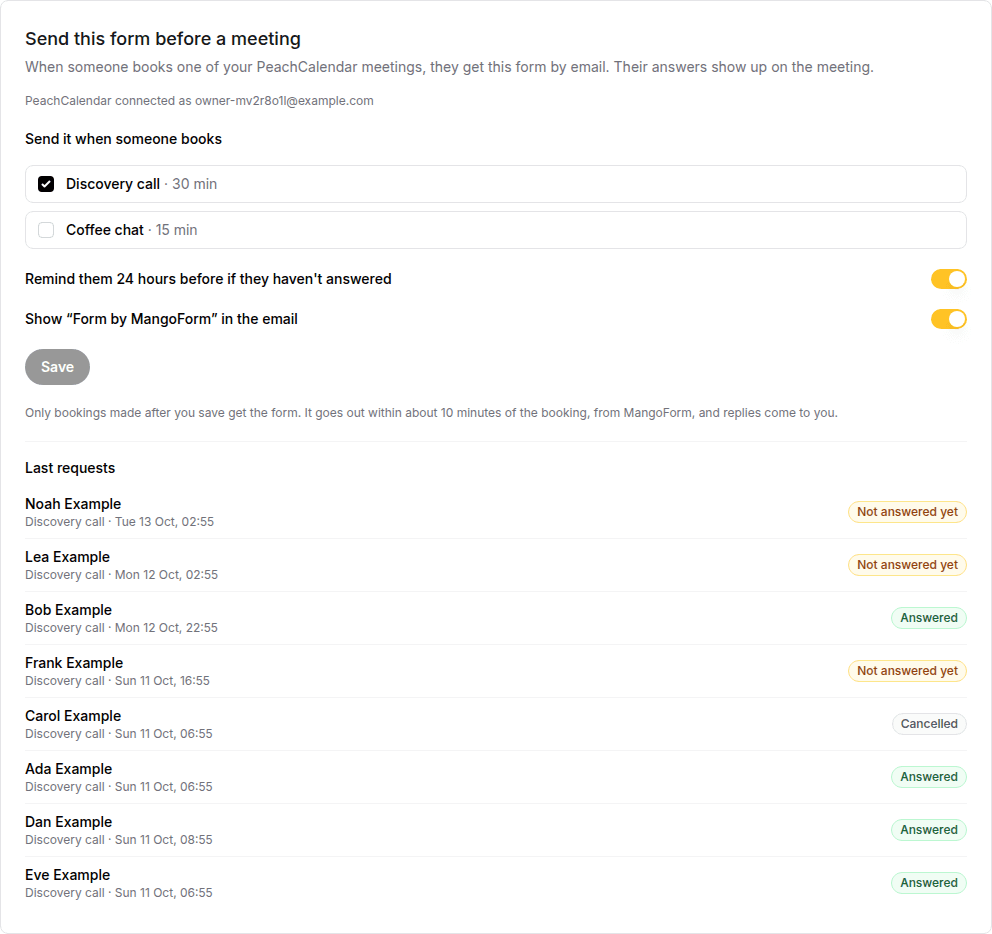
In a MangoForm form's Connect tab, pick PeachCalendar meeting types. Everyone who books one gets your form by email within about 10 minutes, and one reminder 24 hours before if they haven't answered.
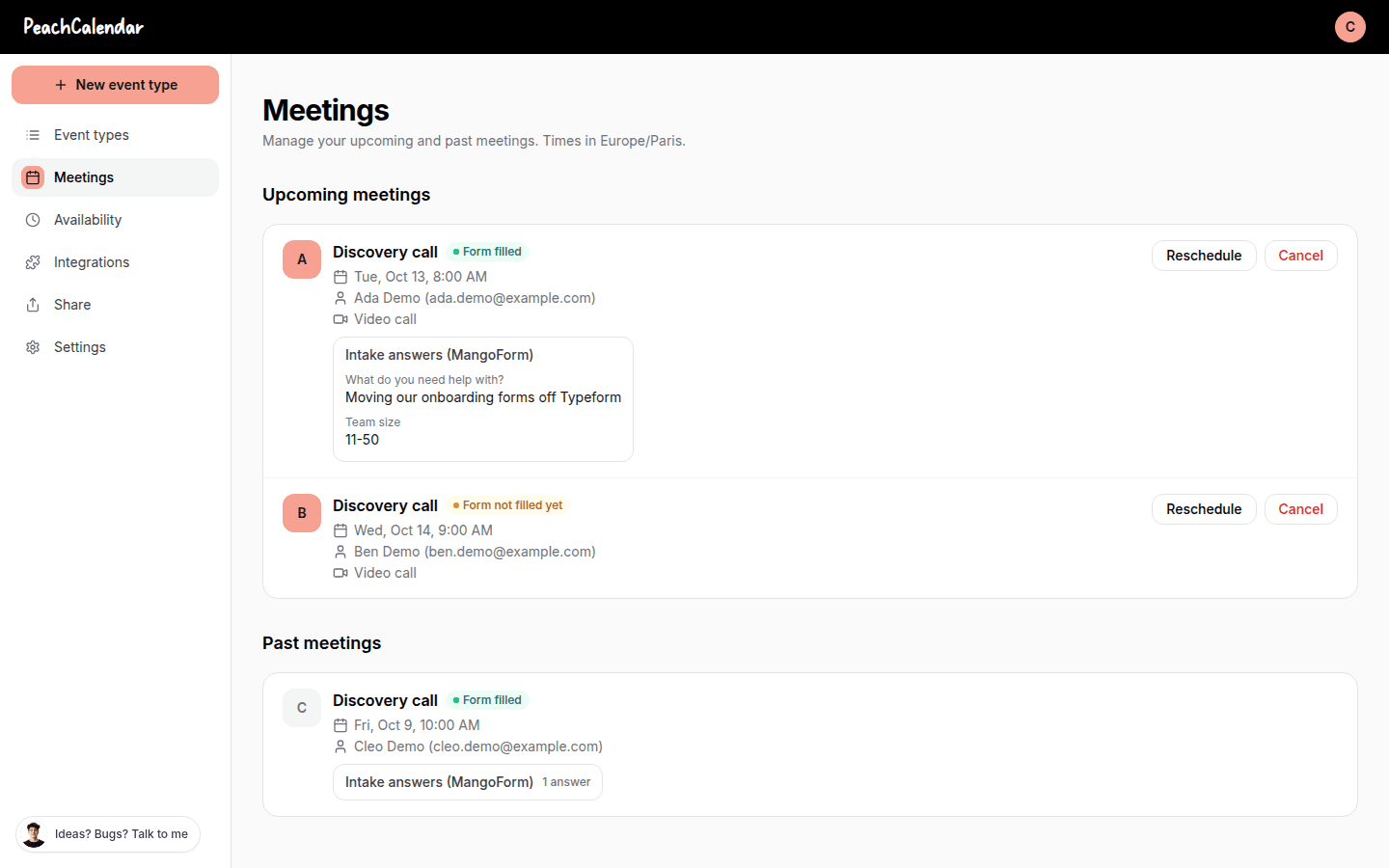
In PeachCalendar, each meeting shows "Form not filled yet" or "Form filled", with the answers. It stays off until you turn it on, and nothing is sent for bookings made before.
GuavaTeam +MangoForm +PeachCalendar
A Leads board that fills itself
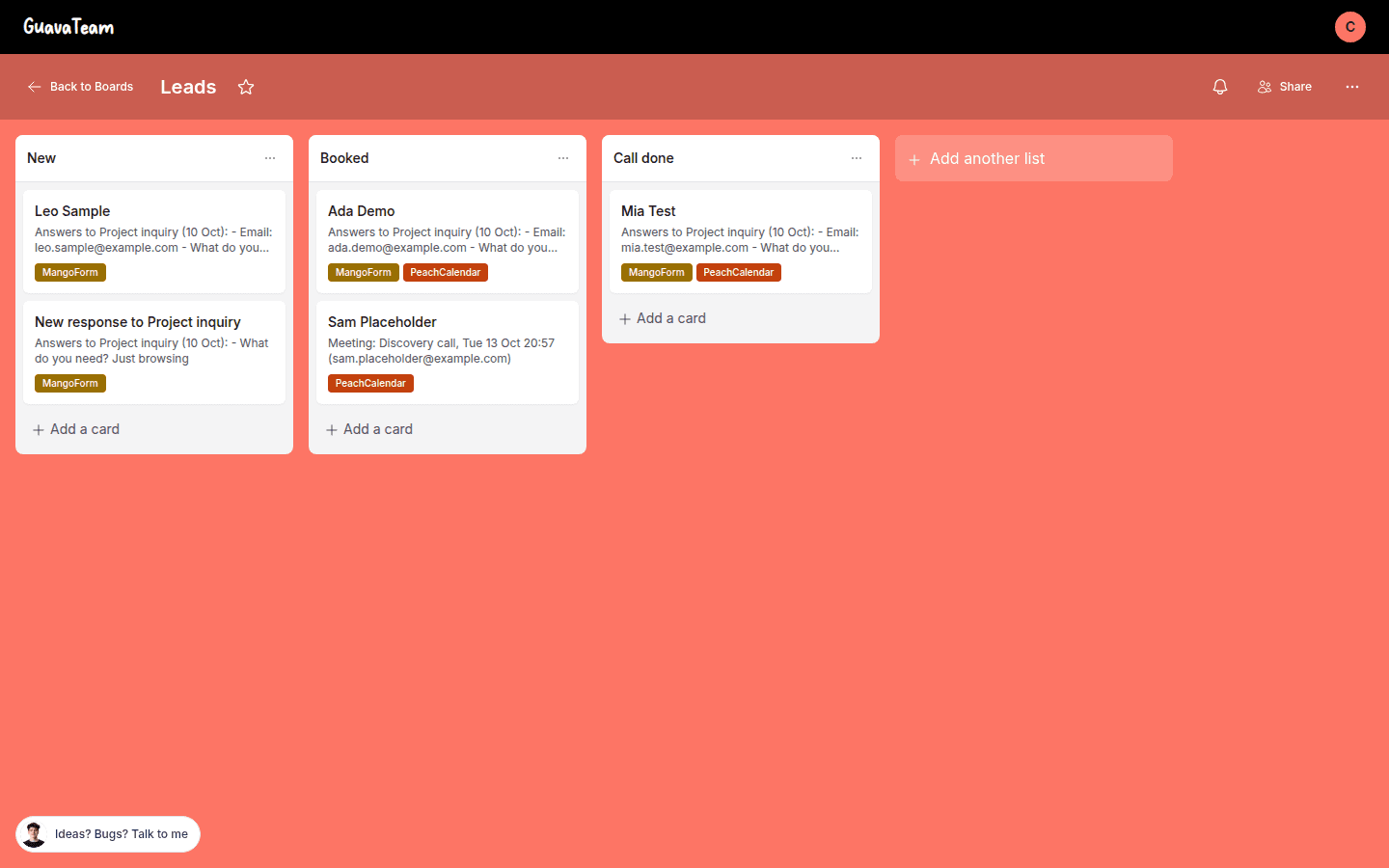
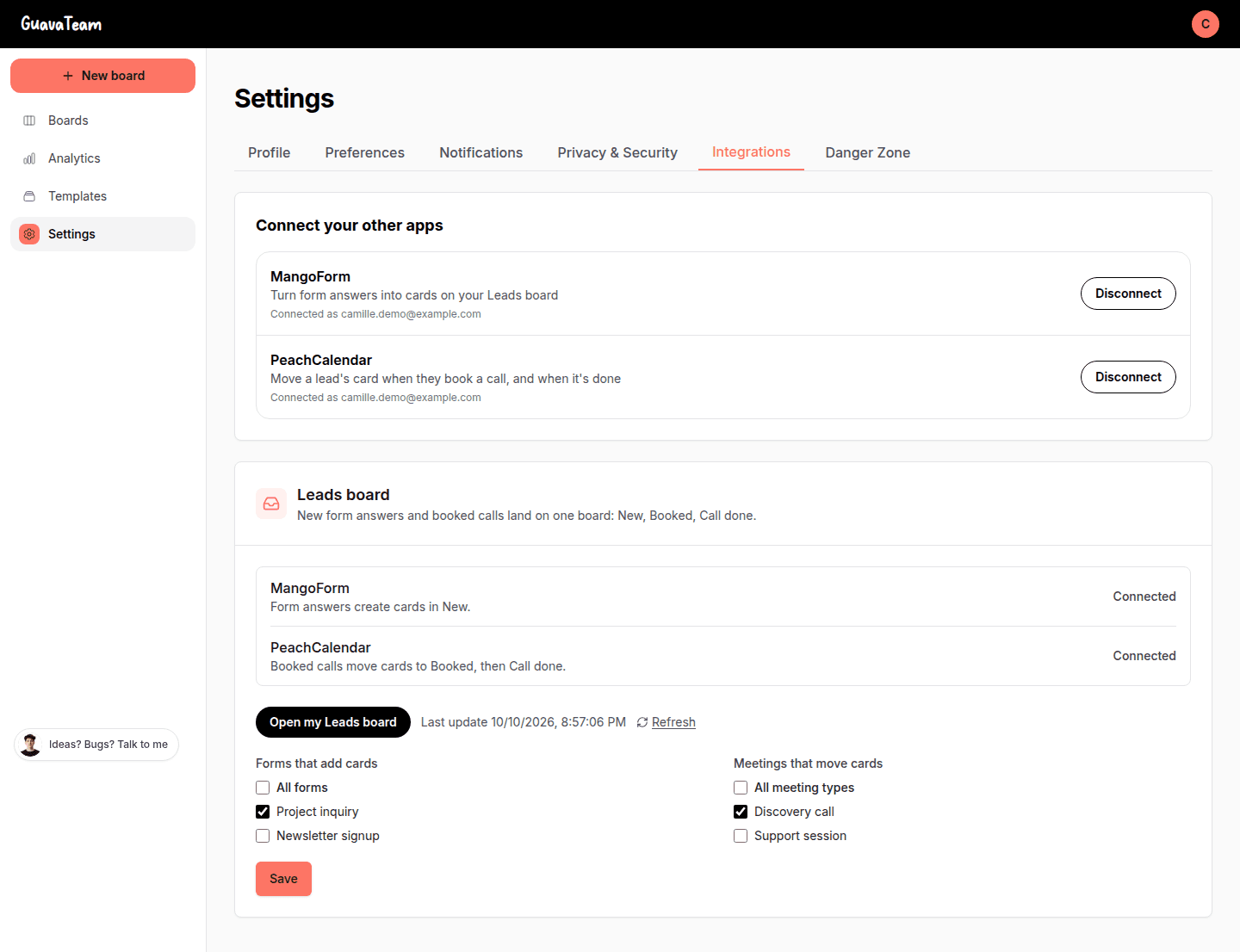
In GuavaTeam, Settings, Integrations, click "Create my Leads board": a board with New, Booked and Call done. Each answer to a MangoForm form you choose adds a card in New, one card per person.
When that person books one of your PeachCalendar meetings, the card moves to Booked, then to Call done once the meeting has ended. Updated every 10 minutes; a card you moved yourself is never moved back, and nothing from before the board was created comes in.
GrapeLink +PeachCalendar +MangoForm +KiwiProof +DurianStatus
Your link-in-bio shows your other apps
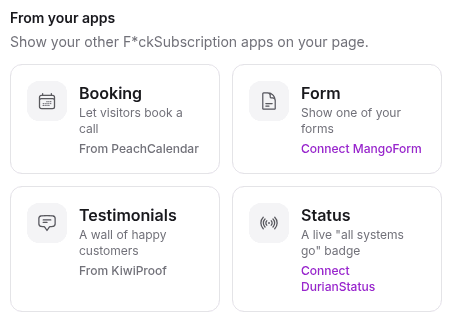
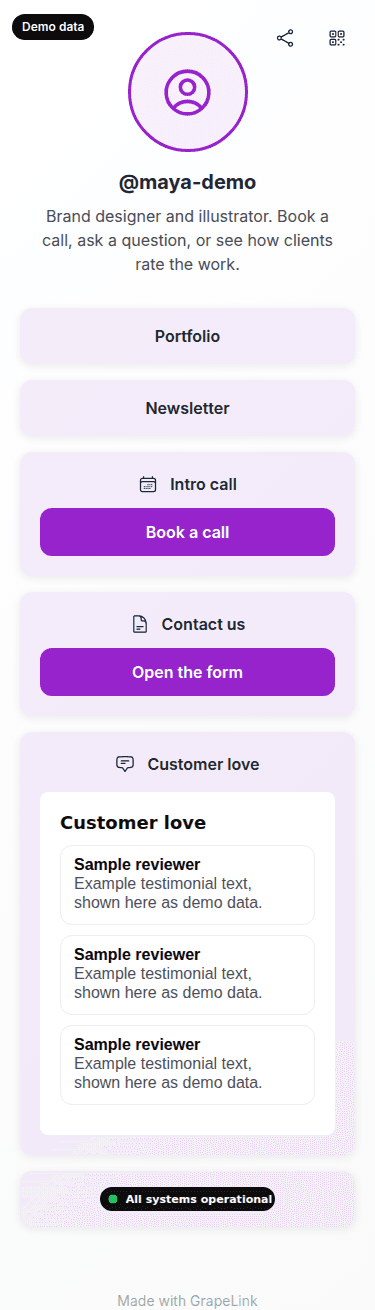
In GrapeLink, pick a block "From your apps": your PeachCalendar booking page, a MangoForm form, your KiwiProof testimonials or your DurianStatus badge.
You choose from a list, nothing to paste. Visitors book, fill in the form or read your testimonials without leaving your page.
PeachCalendar +KiwiProof
Testimonials that ask for themselves
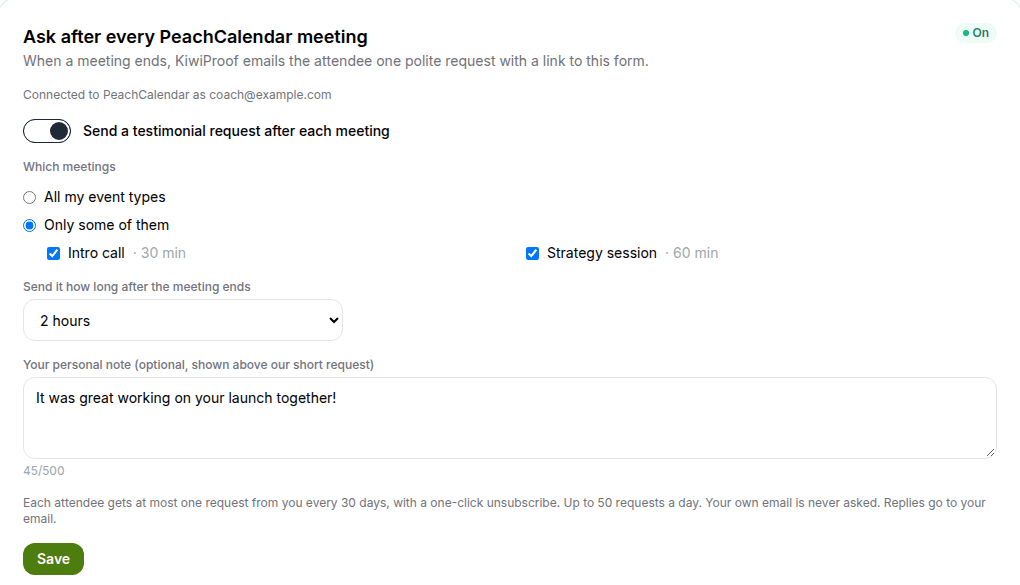
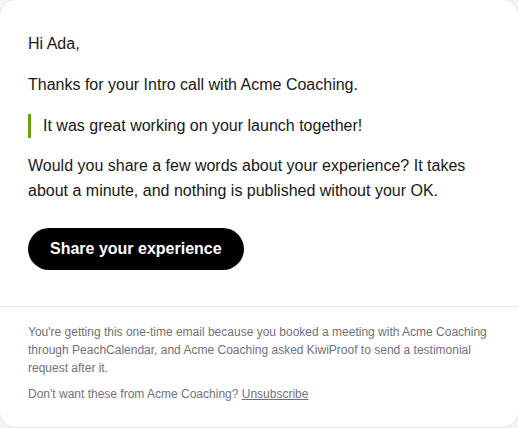
Turn it on in a KiwiProof space, choose which meetings and how long to wait (1 hour to 3 days). After each PeachCalendar meeting, the attendee gets one short, polite email with a link to leave a testimonial.
Never more than one request per person every 30 days, a one-click unsubscribe, and nothing is published without your OK. It stays off until you turn it on.
GuavaTeam +KiwiProof
Ask for a testimonial when a project is delivered
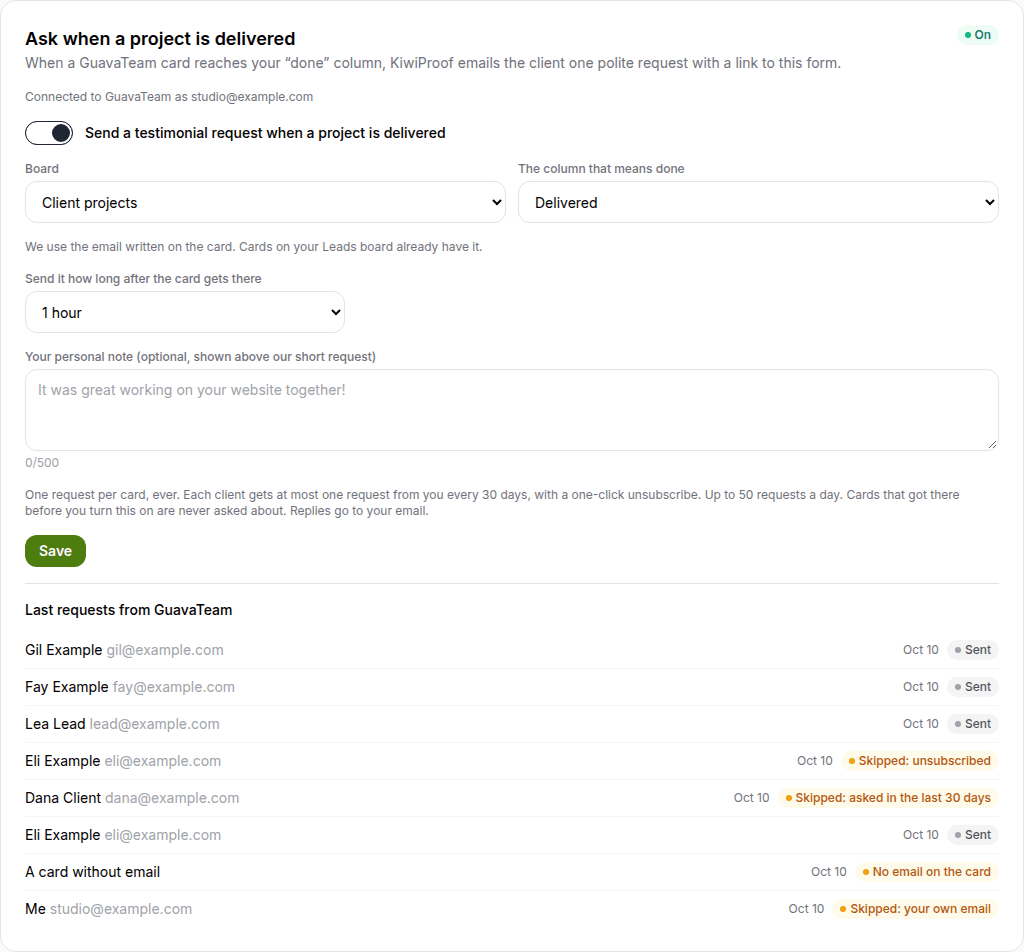
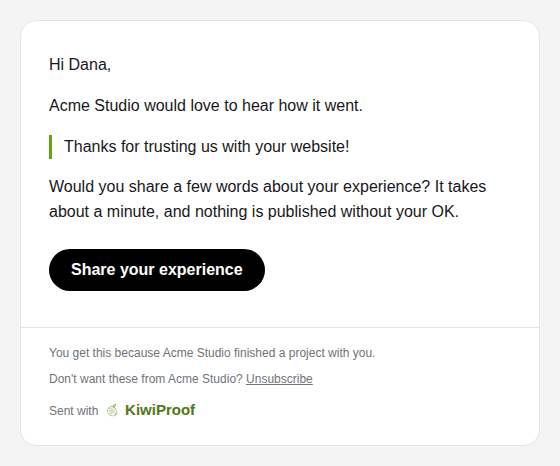
In a KiwiProof space, connect GuavaTeam, then pick a board you own, the column that means done, a delay (1 hour to 3 days) and an optional note. When a card enters that column, the client gets the same short request as after a meeting, at the email written on the card (or the lead's email on your Leads board).
One request per card, ever, never more than one per person every 30 days, at most 50 a day, a one-click unsubscribe, and nothing is published without your OK. It stays off until you turn it on, and only cards moved after that are asked about.
No new fee. No subscription.
A connection needs both apps on your account. The bundle has all 7 for $29, paid once, and every integration is included.
Already have the apps? Open one and click "Connect". Questions? martin@fcksubscription.com